Free · Chrome, Edge, Firefox · nothing uploaded
True mirror extension for your browser
True Mirror & Face Photo Helper turns your webcam into a mirror with a true view, adds a face guide and a lighting check, and flips any photo so you can see your face the way others do. It is free, needs no account, and the camera picture never leaves your device.
Updated 25 November 2026 · open source · storage permission only
Get the extension
Install the true mirror extension
Chrome Web Store
Chrome, Brave, Opera, Vivaldi, Arc
In store review, link coming soon
Microsoft Edge Add-ons
Edge
In store review, link coming soon
Firefox Add-ons
Firefox
In store review, link coming soon
No install needed for a quick look: the online mirror on this site has the same mirror and true view and works on phones too. The extension puts it one click away in the toolbar, adds the face guide and the lighting check, and remembers your settings.
Mirror · true view
A true mirror on your webcam
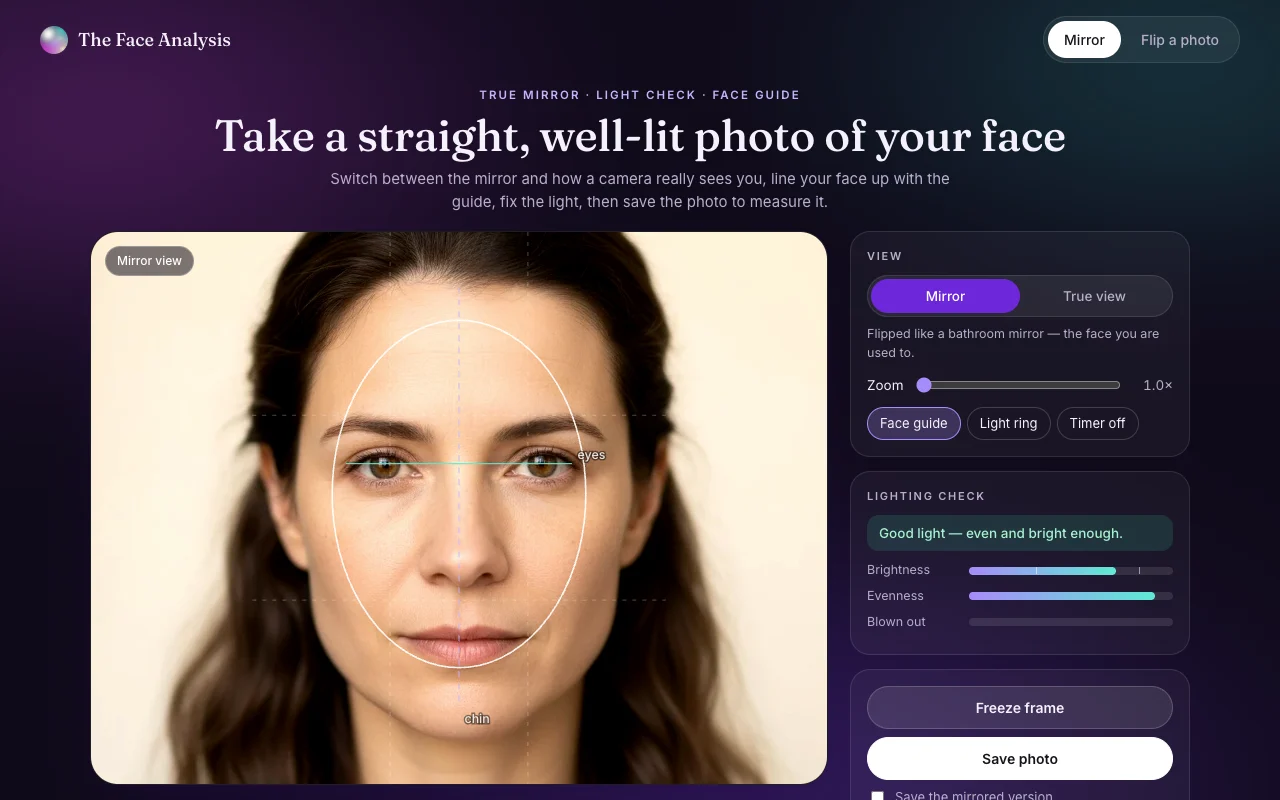
Switch between the mirror view, flipped like a bathroom mirror, and the true view, which is how other people and cameras see you. Zoom up to 3×, turn on a white light ring that brightens your face from the screen, and set a 3 or 10 second timer.
Face guide · lighting check
Face guide and lighting check
An oval with a centre line, an eye line and a thirds grid helps you keep your face level, centred and straight-on. The lighting check reads only the light inside that oval and says whether it is bright enough, whether one side is darker, or whether part of the face is blown out, then what to change: turn toward the light, move closer to it, or soften it.
Flip a photo
Flip a photo to see how others see you
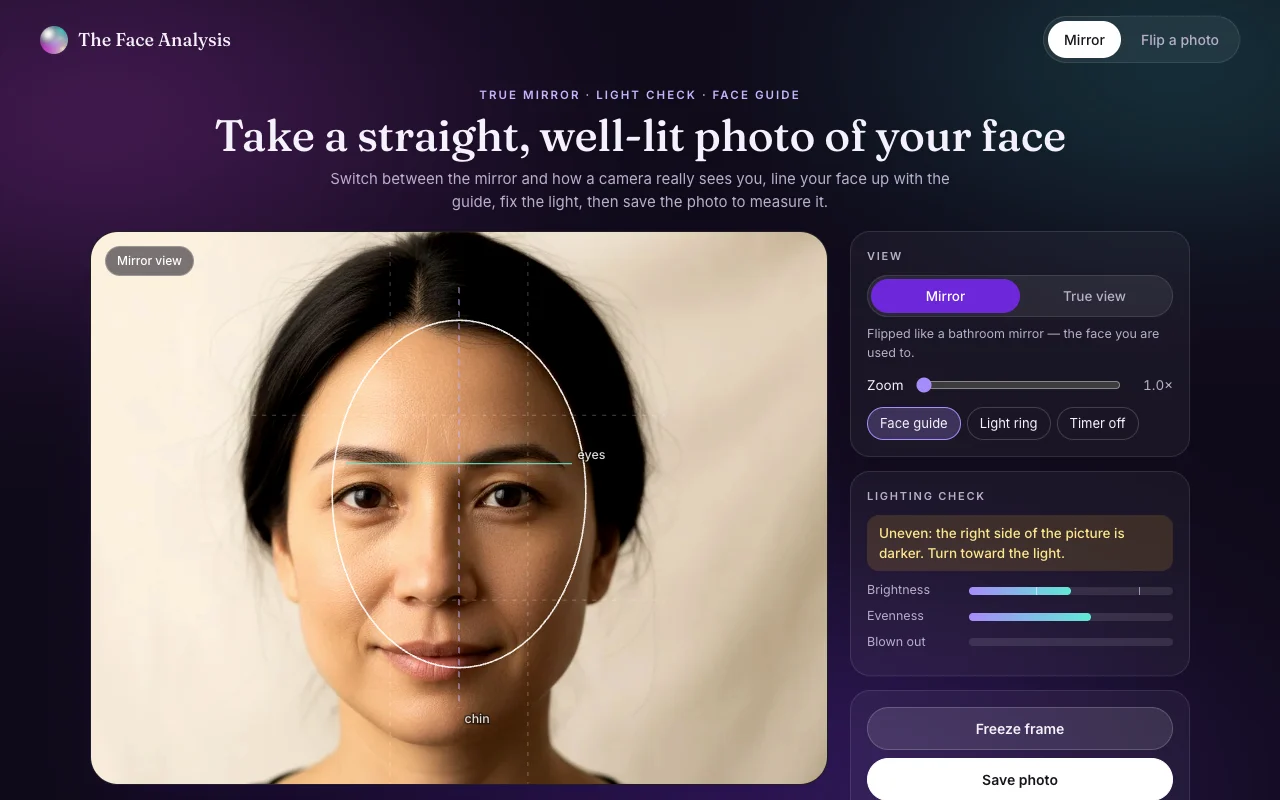
Drop, choose or paste any picture of yourself and see it twice, side by side: as it was saved and flipped horizontally. Save the flipped version if you want it. Freeze a camera frame and save it as a JPEG, as the camera sees you or mirrored.
One click from the toolbar
Mirror, flip, then measure
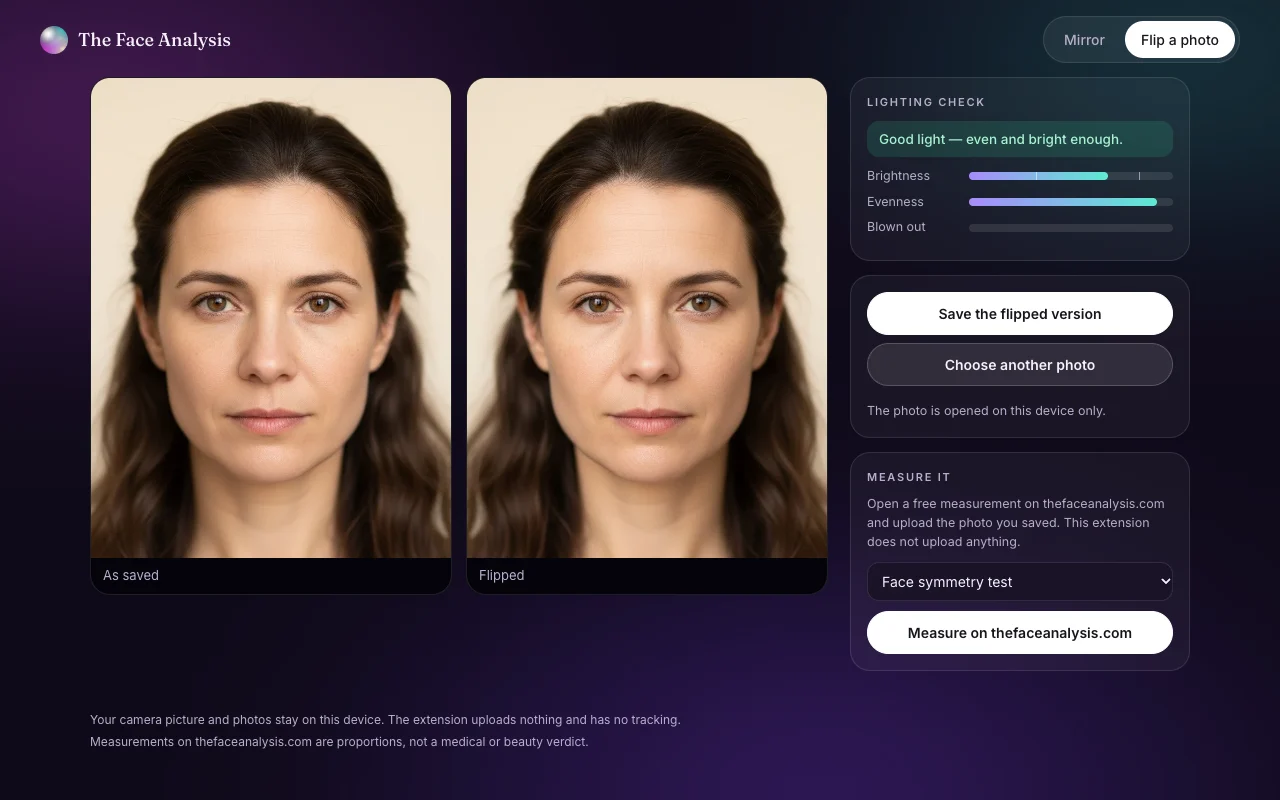
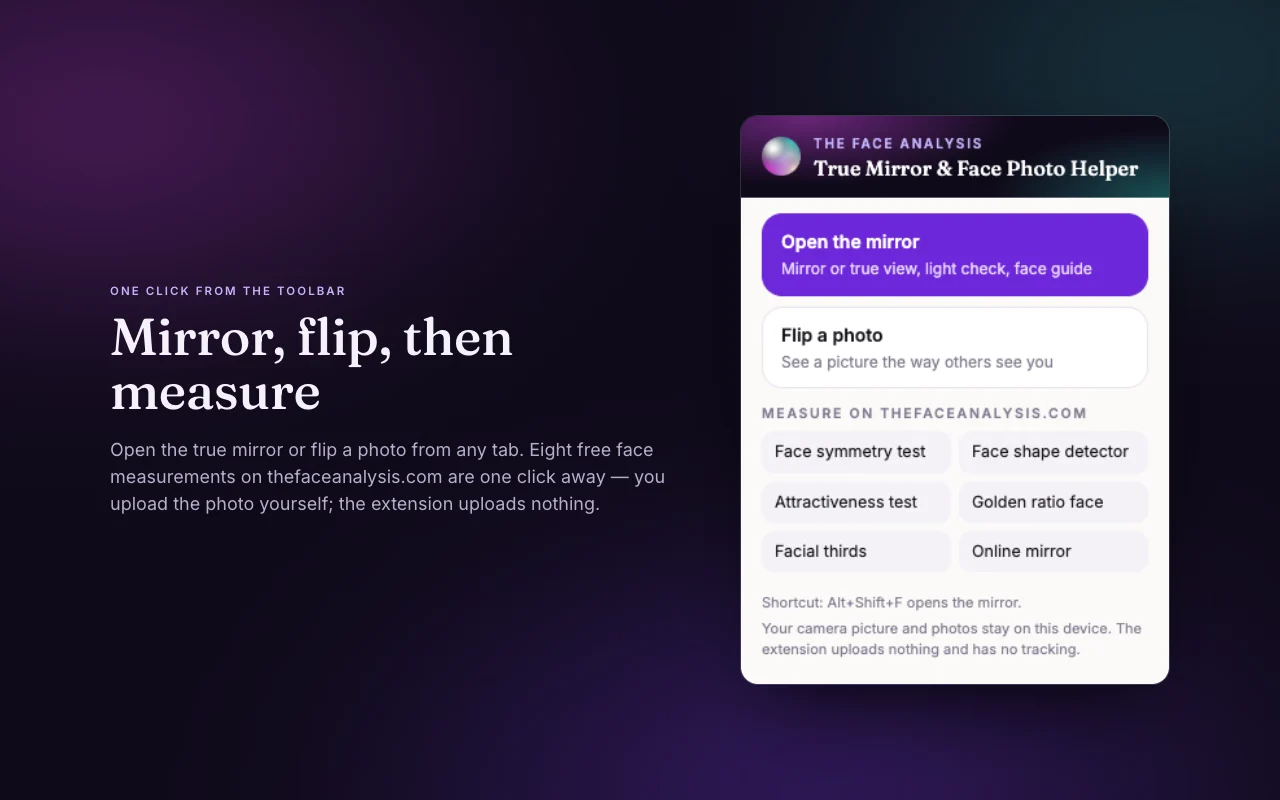
The toolbar button opens the mirror or the photo flipper from any tab (Alt+Shift+F also opens the mirror). Eight free measurements on The Face Analysis are one click away: face symmetry, face shape, attractiveness, golden ratio, facial thirds, eye shape, canthal tilt and jawline. You upload the photo there yourself; the extension uploads nothing.
What the extension does not do
It does not measure, score or judge your face, and it does not read or change the websites you visit. It helps you take a straight, well-lit photo. The measurement happens on the tool pages, which run in your browser: the face symmetry test, the face shape detector and the others in the toolbar list. Why your photos look different from the mirror, and how much lens distance and light change a face, is in the guide how to be photogenic.
Privacy policy
Privacy policy for the extension
Applies to True Mirror & Face Photo Helper, version 1.0 and later. Last updated 25 November 2026.
- The extension processes the camera picture inside its own page on your device; it does not upload, record or send it to The Face Analysis or anyone else. The lighting check reads pixel brightness in that page; no face recognition or face measurement runs in the extension.
- Photos you open in the photo flipper stay in that page's memory. A file is only created when you press save, and it goes to your own downloads folder.
- The extension collects no personal data: no account, no analytics, no advertising, no tracking. It has no access to the websites you visit: no host permissions, no content scripts.
- Its only permission is storage, used to remember your view settings (mirror or true view, zoom, face guide, light ring, timer, chosen measurement) in your browser's sync storage. Uninstalling the extension deletes them.
- The camera is requested by your browser's own prompt when you open the mirror, and you can withdraw it at any time in the browser's site settings.
- When you install or uninstall it, your browser opens this page so you can see what it does. This page, like the rest of thefaceanalysis.com, uses the analytics described in our privacy policy; the extension itself sends nothing.
- From version 1.0.1 the extension also counts, on your device only, on how many different days you have used it, so that after five days it can show a one-time link to rate it in the store. The count is never sent anywhere, and it is deleted when you uninstall the extension.
- The source code is public and MIT-licensed, so anyone can check these statements.
Source code: github.com/The-Face-Analysis/thefaceanalysis-extension. The website itself is covered by the The Face Analysis privacy policy.
True mirror extension: frequently asked questions
Is the true mirror extension free?
Yes. It is free, has no paid features and needs no account.
Does the extension upload my camera or photos?
No. The camera picture and any photo you open are processed on your device and never leave it. A file is only created when you press save, in your own downloads folder.
What is the difference between the mirror view and the true view?
The mirror view is flipped left to right, like a bathroom mirror, so it shows the face you are used to. The true view is not flipped: it is how other people and cameras see you.
Does the extension measure my face?
No. It helps you take a straight, well-lit photo. Measuring happens on The Face Analysis tool pages, which run in your browser; the extension only opens the page you pick, and you upload the photo there yourself.
How does the lighting check work?
It reads the brightness of the picture inside the face guide oval, compares the left and right halves, and checks for very bright patches. It is a guide for taking a better photo, not a measurement of your skin or face.
Which browsers does it work in?
Chrome, Edge, Firefox, Opera, Brave, Vivaldi and Arc on a computer with a webcam. The online mirror page on this site works without installing anything, including on phones.