Glow Up Before and After: A Full-Face Simulation on Your Own Photo
Most glow up before and after photos are years, sleep, skin, hair, weight and better light. This page sorts out what actually changed in them — and renders the other half on your own photo: the cosmetic-procedure version of your face, with no makeup. The habit side has its own guide, how to glow up.
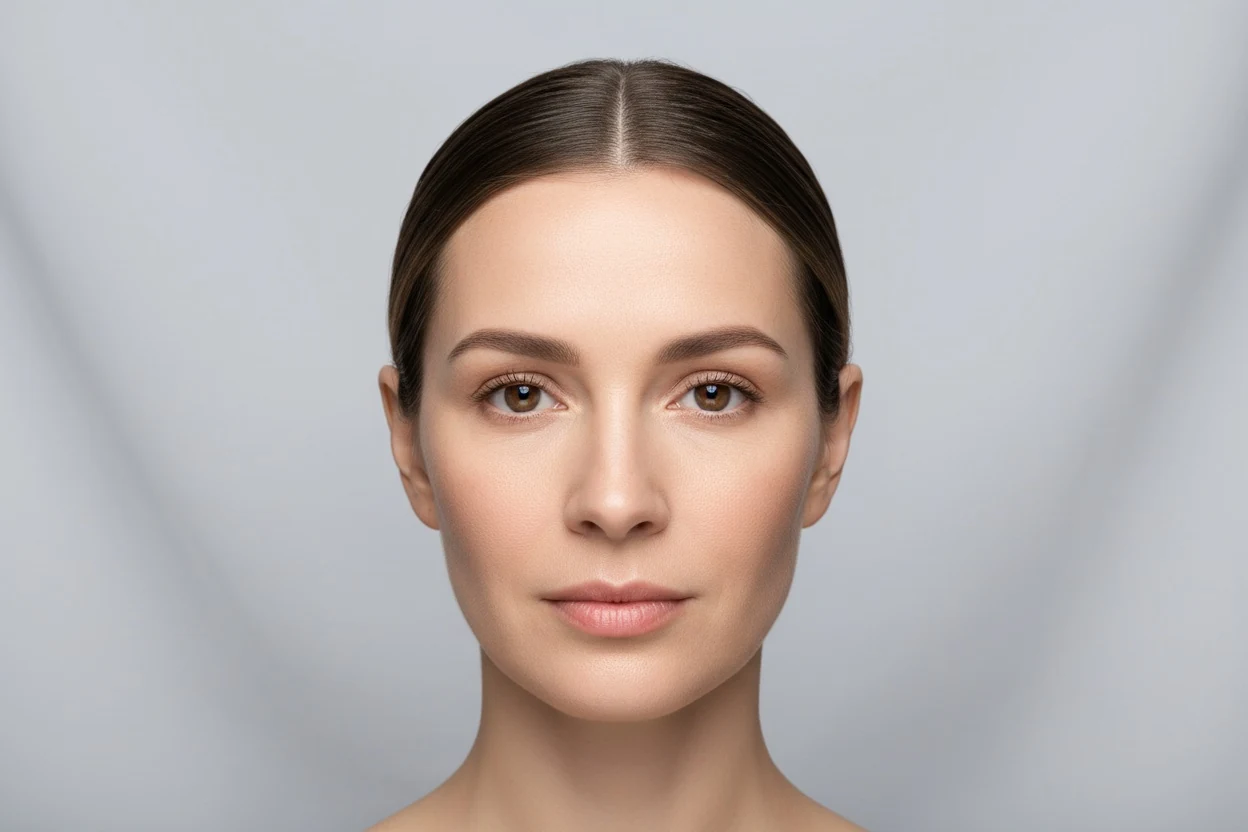
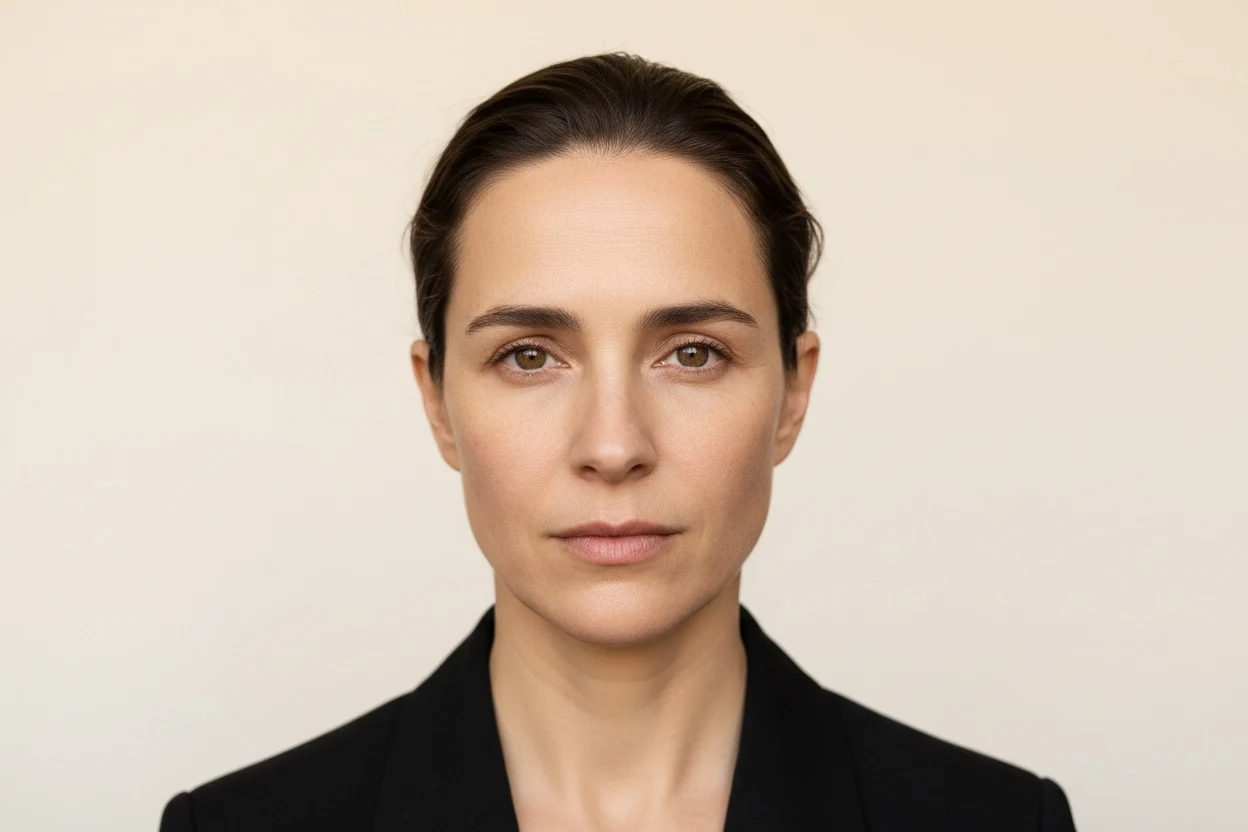
Glow Up Pack simulator — example render
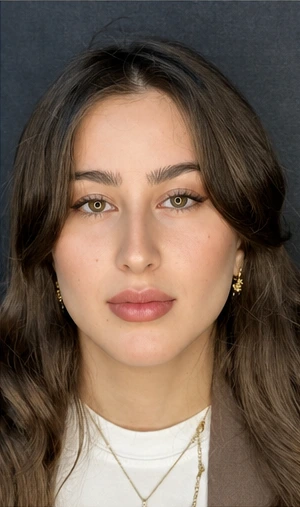
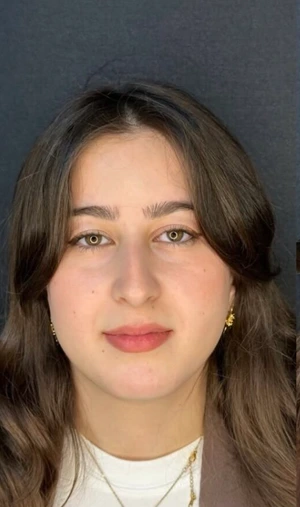
- What it is
- A combined render, not a single treatment
- What the render changes
- Several facial areas at once; no makeup
- Cost
- The sum of the procedures — varies enormously
- Recovery
- Set by the longest procedure included
- Upload one front-facing photo
- The render changes several changes at once, as one render — and leaves the rest of your face alone
- Compare your before and after side by side
1 render = 1 credit
5 credits $4.99, no subscription · or Starter $7.99/month for 10. The face analysis is free.
Glow up before and after photos: what actually changed
Search glow up before and after and you get Reddit threads, Pinterest boards and transformation videos. Look closely and most of those pairs are years apart, and most of the difference comes from things no clinic touched: growing out of a teenage face, a haircut, clearer skin, a change in weight, braces coming off, and a better camera in better light.
| What changed | How fast it shows | Can this render show it? |
|---|---|---|
| Growing up — a teenage face maturing | Years | No |
| Haircut, brows, beard, makeup | Same day | No — the render excludes makeup and styling |
| Light, angle, lens, posture | Seconds | No — and it is in almost every pair |
| Weight and body composition | Months | Only where a procedure changes the same contour |
| Skin tone and texture | Weeks to months | Yes, as resurfacing-type change |
| Teeth — braces, whitening | Months to years | No; the Hollywood smile is a separate render |
| Cosmetic procedures | Weeks to months of healing | Yes — this is what it renders |
Glow up transformation: habits vs procedures, area by area
Every area of a glow up transformation has a habit or styling route and a procedure route. They are not interchangeable — one changes how the face is presented, the other changes the face — and most people get further on the first than they expect.
| Area | Habit or styling route | Procedure route |
|---|---|---|
| Skin | Sunscreen, a consistent routine, sleep | Chemical peels, laser resurfacing |
| Brows and eyes | Brow shaping, rest, lash definition | Brow lift, eyelid surgery, canthoplasty |
| Nose | Contour makeup, camera distance | Rhinoplasty, liquid rhinoplasty |
| Lips | Lip liner, hydration | Lip filler, lip lift |
| Cheeks and midface | Blush and contour placement | Cheek filler, midface lift |
| Jaw and chin | Posture, body fat, beard shape | Jawline filler, chin augmentation |
| Neck | Posture, body composition | Neck lift |
| Hairline | A haircut chosen for your face shape | Hair transplant, hairline lowering |
Glow up simulator: what this render actually changes
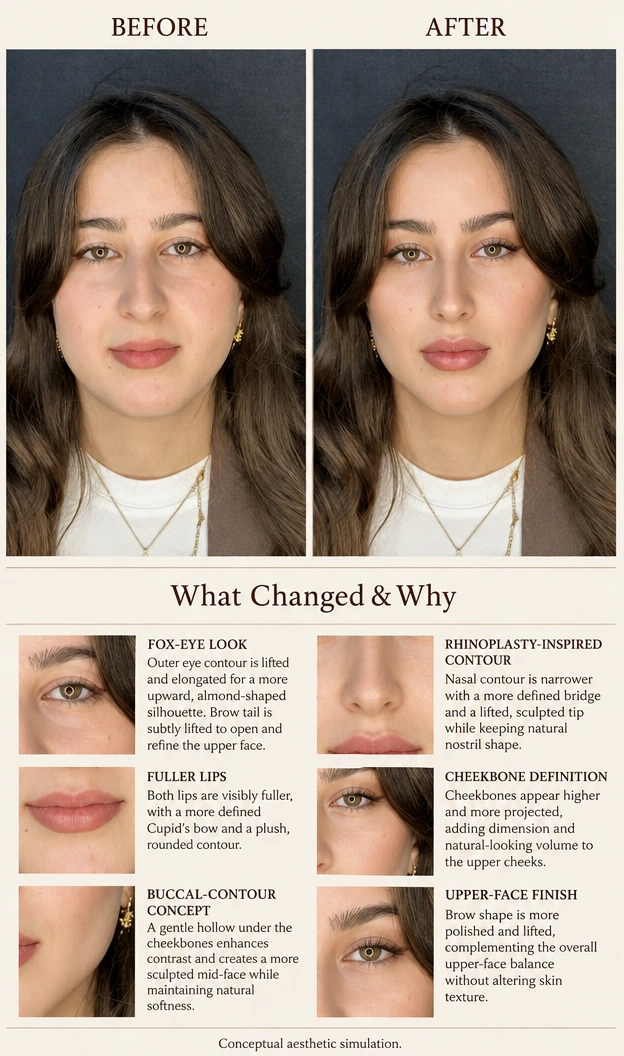
By default ("Let AI choose"), the glow up simulation asks the image model for your face's maximum potential through cosmetic procedures — applied in every area where one fits, and explicitly without makeup. Depending on the face, that can include the hairline, brows, eyelids, midface, nose, lips, jawline, chin, neck and skin. The model decides which areas to change. If your profile lists your gender, the result is kept masculine or feminine to match, and your identity, pose and background are kept.
Switch to "I'll choose" and you can stack up to six specific procedures instead, which is the better mode once you know which areas you care about. The glow up pack and the looksmax pack run the same full-face render; the difference is the question you bring to it.
Read the result with more skepticism than a single-procedure render. Every limitation of each individual change applies at once, errors compound, and the result drifts further from anything one surgical plan would produce. It is a direction, not a treatment plan.
Glow up apps and AI filters vs a glow up simulation
Glow up apps fall into three groups, and they answer different questions.
- Beauty filters smooth skin, enlarge eyes and narrow the face in real time. The proportions they produce often match no procedure at all, which is why surgeons have written about patients bringing filtered selfies as a goal.
- AI glow up generators restyle a portrait — makeup, hair, lighting, sometimes a new face. Attractive, but not tied to anything you could do.
- Face-rating apps give a score and a list of "flaws", usually without saying how the score is calculated — how looksmax AI apps score a face looks at what the popular ones actually measure.
This glow up AI render sits in a narrower lane: every change it makes corresponds to a procedure that has its own page, cost range and recovery. It is still an image model and still an illustration — but it is an illustration of something real, with no filter smoothing on top.
BeforeAfter — simulatedWhat Changed & Why · Annotated AI example
See a glow up pack on your own face
Run this simulationMale glow up: the procedure side for men
Most male glow up before and after photos are driven by a haircut, a beard that frames the jaw, weight loss revealing the jawline, and skin. The procedure side men most often ask about maps to four areas: jaw and chin definition, the hairline, fullness under the chin, and the nose.
The render keeps a masculine result when your profile says so — it does not soften the jaw or add a feminine brow. If the jaw is what you want to change, the sharper jawline guide separates bone, muscle, fat and skin, which decides whether the answer is a habit, a filler or surgery.
A glow up with procedures: staging and order
A full-face render rarely corresponds to one operation. When several procedures are planned, surgeons commonly stage some rather than combine them, to limit anesthesia time and to let one area settle before the next is judged.
- Reversible before permanent is a common way people approach it: injectables wear off, implants and bone work do not.
- Adjacent areas interact. Chin projection changes how the nose reads; a neck lift changes how the jaw reads. The order can matter as much as the list.
- One change may be enough. Rendering single procedures one at a time often shows that a single change does most of the work in the combined render.
Glow up cost and recovery: why there is no single number
The cost of a procedure-based glow up is the sum of whatever it includes, and that sum varies enormously. On this site's individual simulation pages, commonly quoted US ranges go from roughly $200–$600 per area for botox to roughly $8,000–$20,000 for a facelift. A combined render could correspond to one injectable session or to several operations, so any single total would be invented.
Recovery works the same way: the longest procedure sets the timeline, and staged procedures add their recoveries end to end. Price each change on its own page first, then ask a surgeon which of them would be combined.
Questions to ask a plastic surgeon about a glow up plan
- Which of these changes would you stage rather than combine, and why?
- What is the total anesthesia and recovery time if some are done together?
- If I could only do one of these, which would change my face the most?
- Which of the changes in this render would you leave out entirely?
Measure symmetry and proportion first, so a combined render answers a question you already have rather than handing you a shopping list.
Take the attractiveness testAlternatives to glow up pack
How the glow up pack simulation works
Your photo is analysed for the landmarks that matter to this procedure, and the render changes several changes at once, as one render while leaving the rest of your face alone. That constraint is the hard part — a generic image model will happily redraw your whole face and hand you a stranger who looks better.
Combined renders compound their errors. Every individual limitation on the single-procedure pages applies here at once, and the result drifts further from any achievable outcome than a single change does.
It is an illustration of a plausible direction, not a prediction of your result and not a medical opinion. What it is genuinely good for is finding out whether you want the change at all — plenty of people render one, find the difference smaller than they imagined, and stop there.
Measure your face before a glow up pack simulation
The free analysis tools measure symmetry, facial proportion and face shape, and tell you which measurements sit outside the reference range. Choosing a procedure from that is a much better starting point than choosing one from a photo you saved.
Glow Up Pack simulator — frequently asked questions
Does the glow up simulation add makeup or a new haircut?
No. The render is told to exclude makeup, and it keeps your pose, background and styling. It shows procedure-level changes only, which is why it pairs with the habit-side guide rather than replacing it.
Is the glow up pack the same as the looksmax pack?
Yes, both run the same full-face render by default. The glow up page is framed around transformation photos and everyday changes; the looksmax page is framed around the traits that community focuses on and the procedures behind them.
Can you glow up without surgery?
Most glow ups happen without it. Sleep, skin care, a haircut suited to your face, posture and light change how a face reads more than people expect, and the how to glow up guide sorts those by how fast they show.
At what age do glow ups happen?
Many of the transformations people share span the late teens and early twenties, when the face is still maturing and habits and style are changing fast. There is no age limit on the habit side; most cosmetic procedures are adult territory.
Is 25 too late for a glow up?
No. Skin, hair, weight, grooming and photography respond at any age. The faces in most shared transformations changed over years, not in a single season.
Can I choose which changes the glow up render makes?
Yes. Switch from "Let AI choose" to "I'll choose" and pick up to six specific procedures. That is usually more useful once you know which areas matter to you.
Is the glow up pack simulator free?
The face analysis is free and needs no account. A rendered simulation costs credits because it runs on a GPU — $4.99 buys five and does not require a subscription.
How accurate is an AI glow up pack simulation?
It is an illustration of a plausible outcome, not a prediction of your result. Real outcomes depend on your anatomy, the board-certified plastic surgeon and how you respond. Treat it as a conversation starter for a consultation, not a promise.
Do you keep my photo?
The free measurements never leave your browser. A simulation does send the photo to a rendering service, which is why it asks for explicit consent first, and you can delete the result from your dashboard at any time.
Can I show this to a board-certified plastic surgeon?
Yes, and that is the most useful thing to do with it. Bringing a picture of the direction you want is far more precise than describing it in words.
Other multi-procedure packs simulations
This page is not medical advice and we are not clinicians. A simulation cannot tell you whether a procedure is appropriate for you, what it costs, or what the risks are. Those questions belong with a qualified board-certified plastic surgeon.